Managing a partner pipeline in your CRM
A lean CRM setup for partner pipeline: the fields, stages, deal registration, and reports finance will trust. HubSpot and Salesforce as examples of CRMs, not as claimed partners.
Partner pipeline that lives in a sidecar spreadsheet is pipeline you will lose arguments about. The partner swears they brought the deal. Your rep swears it was already theirs. Finance asks for a number, you paste a tab, and nobody can say whether the same opportunity is counted twice. The CRM already has the deal. The partner data is what you failed to put on it.
This is an independent guide to managing a partner pipeline in the CRM you already use. HubSpot and Salesforce appear here as examples of CRMs with pipelines, custom fields, and reports. They are not claimed partners of PartnerMatch, and this is not a vendor tutorial. The mechanics are the same in any serious CRM: a few fields on the opportunity, a registration path, stages that match the motion, and reports that separate sourced from influenced. For the definitions, read influenced vs sourced pipeline. Attribution is also one of the five parts of a co-selling engine. You do not need a PRM to start. You need fields people will fill, a rule for when a partner gets on the record, and hygiene that has an owner.
The 60-second version
- Partner pipeline belongs on the opportunity, not in a side sheet. If it is not on the record, it will not survive a quarter close.
- Six fields are enough: partner account, partner type, sourced or influenced, registration date and status, partner contact, and your owner.
- A deal is sourced or influenced, never both. Tag it when the partner enters, not at closed-won.
- Deal registration is the front door for sourced claims. Timestamp, account match, accept or reject.
- Keep stages in your existing pipeline. Do not clone a second sales process unless the motion is truly different (for example, reseller).
- Report sourced and influenced as two numbers. Adding them as if they were both new revenue is how finance stops trusting you.
- Lean beats complete. Unused fields rot. Required fields that block the rep get worked around.
- Name who updates what. Reps tag the partner on the deal they work. Partnerships owns registration and reporting.
Why partner pipeline dies in a sidecar spreadsheet
The spreadsheet starts as a kindness. The CRM was not ready, a partner sent a list, and you needed a place by Friday. Then the list becomes the "partner source of truth," the CRM stays the real source of truth, and they diverge every week. Closed deals in the CRM never get the partner tag. Open deals in the sheet never get stage updates. You report from the sheet. Sales reports from the CRM. Both numbers are wrong in different directions.
A sidecar also says partner work is not real pipeline. When budget season arrives, real pipeline is what is in the CRM. The fix is putting the partner on the same object your forecast already uses. In HubSpot that is usually the deal. In Salesforce that is usually the opportunity. One record, extra fields, one report. Your partnership metrics then read from the same system finance already believes. Partners will still send spreadsheets. Ingest them with a form that writes the CRM. Do not live in the tab.
The fields you actually need
Resist the 40-field partner layout. Reps will not fill it. Partners will not fill it. You will invent defaults and lie to yourself.
Start with six on the opportunity (or deal):
| Field | Type | Why it exists |
|---|---|---|
| Partner account | Lookup to the partner company | Who to credit, and the join to the partner record |
| Partner type | Picklist: referral, reseller, co-sell, tech | Motions are not interchangeable. See referral vs reseller vs co-sell. |
| Credit type | Picklist: sourced, influenced | Origin, not effort. Never both. |
| Registration status | Picklist: submitted, accepted, rejected, expired | The front door for sourced claims |
| Registration date | Date | Timestamp that settles conflicts |
| Partner contact | Lookup to a person at the partner | The human who did the work, for enablement and QBRs |
Add more fields only on pain: window end date, registration ID, a second partner, a notes field for exceptions. On the partner company record, keep motion, tier, owners, certified rep count, last QBR. That is the relationship. The opportunity fields are the deals. Do not mix the two objects. Make credit type easy to set when the partner appears, and hard to "fix" at closed-won. Last-minute tagging is how every deal becomes partner-influenced in week thirteen.
HubSpot users typically add these as deal properties plus a company association. Salesforce users typically add them on Opportunity, with Account as the partner lookup or a partner-account relationship. The labels differ. The job does not. Official starting points live in HubSpot Knowledge Base and Salesforce Help. Use your CRM's own docs for clicks. Use this list for what to configure.
Stages that match the motion
Do not build a second sales pipeline named "Partners" unless the path to cash is actually different. Referral and co-sell deals usually travel your normal stages. The partner is a field on the deal, not a reason to invent "Partner Discovery" as a parallel universe. Extra pipelines split reporting and hide the forecast.
When the motion is different, the stages should be different. Reseller is the common case: the partner owns the customer, you wholesale, and your stages might be registered, accepted, fulfilled, paid. Tech-partnership build work is not a sales pipeline at all. Track it as a project or a custom object, not as a fake opportunity.
For the partnership itself, a lightweight lifecycle on the partner account is useful: identified, in conversation, onboarding, active, at risk, sunset. That is relationship stage, not deal stage. Review it in the QBR, not on the weekly forecast call.
| What you are tracking | Object | Stages |
|---|---|---|
| Customer deal with a partner on it | Opportunity / deal | Your existing sales stages, plus partner fields |
| Reseller transaction | Opportunity in a reseller pipeline, or order | Registered, accepted, fulfilled, paid (adapt to how you bill) |
| Partner relationship | Partner account | Identified through active to sunset |
| Integration build | Project, ticket, or custom object | Not a sales stage |
If a stage does not change what someone does next week, delete it. "Verbal commit from partner" is a note. "Registration accepted" is a status, because it changes who can sell the account.
Deal registration without ceremony
Deal registration is how a sourced claim becomes a fact. The partner submits the account before, or at the moment, it enters your pipeline. You accept, reject, or mark a conflict. The timestamp is the point. Without it, every sourced debate is a memory contest.
Keep the path short: partner submits account, domain, and contact; you match to existing records; accept as sourced if nothing exists; if something exists, reject as sourced and offer influenced if they will actually help; tell them. Silence is how they submit a second time in email. SLA: a few business days, written. Auto-expire accepted registrations with no activity so a partner cannot park a name forever. Match on domain. When two partners submit the same domain, first accepted timestamp wins for sourced. Write that down before the first fight.
Registration is also how onboarding becomes commercial. A partner whose first 30 days include a registered deal understood the motion. A partner who only has a logo is still in the sidecar.
Reporting finance will trust
Finance does not want a story about partnership energy. They want two numbers that do not double-count revenue, plus a conversion view.
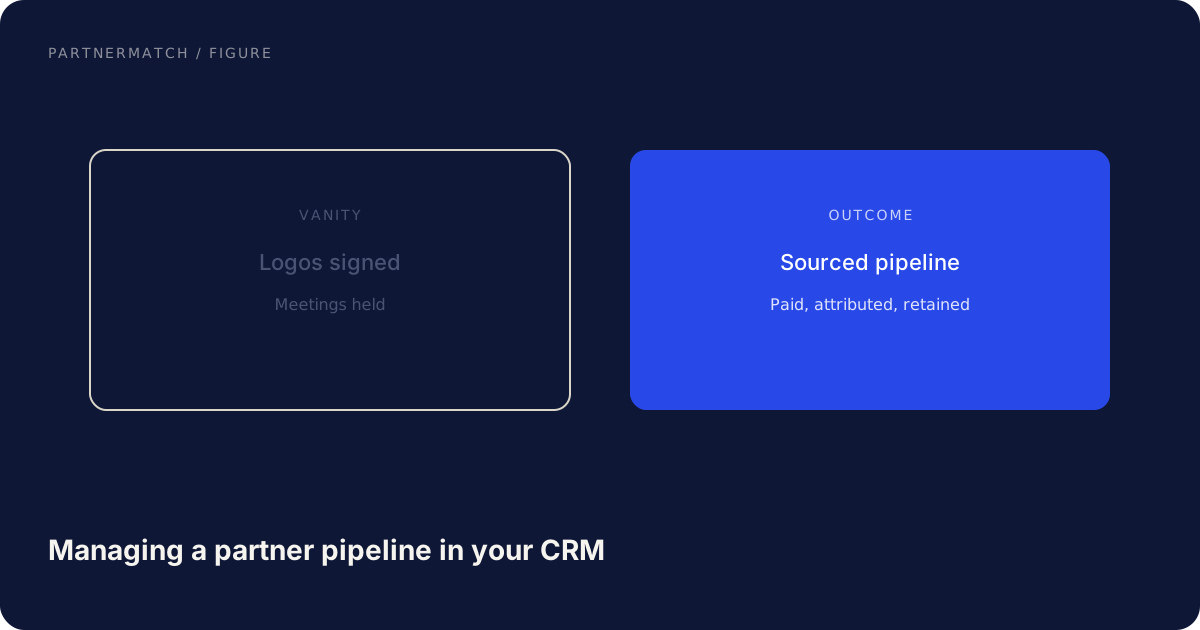
Sourced pipeline and sourced revenue. Opportunities where credit type is sourced. This is new pipeline the partner created. It can sit next to inbound and outbound as a source.
Influenced pipeline and influenced revenue. Opportunities where credit type is influenced. This is not added on top of sourced, and it is not added on top of direct revenue as if it were a second booking. It is a parallel view: of the deals we already had, these had a partner on them, and here is win rate versus uninfluenced.
Never add sourced plus influenced and call it "partner-driven revenue" if influenced deals are already in the total. That is the inflation that gets programs cut. Report them in two rows, every time, with the same definitions you used last quarter.
Useful extra cuts, still lean:
- By partner, and by partner type
- Time from registration accepted to close
- Win rate, sourced vs influenced vs no partner
- Certified-rep count versus sourced pipeline (enablement sanity check)
Build two dashboards, not twelve. One operational (open tagged deals, registrations pending). One executive (sourced, influenced, win rates, trend). Start at HubSpot Knowledge Base or Salesforce Help for the clicks. Keep the metric definitions in a one-pager finance has signed. The tool is not the disagreement. The definition is.
A lean CRM setup
You can do this in a week if you are strict.
- Create the six opportunity fields and the small partner-account set. Hide the rest.
- Put partner account and credit type on the deal create or edit layout your reps already use, not on a layout they never open.
- Build a form for registration that writes those fields. Partners can use it. Your team can too.
- Duplicate rule on domain.
- Two reports: sourced open pipeline, influenced open pipeline. Two more for closed-won.
- A required-at-stage rule only if people skip the tag: for example, cannot move to proposal without credit type if partner account is set.
- Stop.
Do not wait for a partner community license, a PRM, or a custom object model. Those are portal questions. Pipeline reporting is a CRM question. If your CRM cannot do custom fields and a form, you have a CRM problem, not a partnerships problem.
When you later add a partner-facing view, it must read these same fields. Two systems with two statuses is the sidecar again, with a login.
Hygiene: who updates what
Fields without owners fill with junk. Write a RACI that fits on a slide.
| Task | Rep on the deal | Partnerships | Partner |
|---|---|---|---|
| Tag partner and credit type when they enter the deal | Responsible | Accountable for the rule | Submits registration |
| Accept or reject registration | Informed | Responsible | Informed |
| Keep stage and amount current | Responsible | Consulted | Sees status if you give it |
| QBR list of tagged deals | Consulted | Responsible | Brings their list to reconcile |
| Change credit type after accept | No | Responsible, rare | Request only |
Spot-check closed-won deals. If tagged deals are missing a credit type, the layout is wrong. If untagged deals had a partner on the thread, the rep is skipping the field. Fix the layout before you add more fields. When the partner contact leaves, update the person. Do not leave a ghost on the record.
Common mistakes, and the fix
Keeping partner pipeline in a spreadsheet "until we have a PRM." The fix: six fields on the opportunity this week. A PRM is optional. The CRM tag is not.
Tagging at closed-won. The fix: tag when the partner enters. Registration date is the evidence. Late tags are lobbying.
One "partner-driven" number that sums sourced and influenced. The fix: two rows, every report, with definitions finance has seen. Influenced is a view, not a second booking.
A 40-field partner layout. The fix: six fields, add only on pain. Unused fields become junk, and junk makes every report suspect.
A second sales pipeline named Partners for co-sell deals. The fix: use the normal stages, put the partner on the record. Split pipelines only when the path to cash is actually different.
FAQ
What is the minimum CRM setup for partner pipeline? Six fields on the opportunity: partner account, type, sourced or influenced, registration status, registration date, partner contact. A form that writes them. Two reports. Duplicate match on domain. That is a working system.
Can we run this in HubSpot or Salesforce? Yes. Both support custom properties, pipelines, forms, and reports. Use their docs for the clicks. The model is the same: tag the deal, do not invent a sidecar. They appear here as CRM examples, not as PartnerMatch partners.
How do we stop double counting? A deal is sourced or influenced, never both. Influenced revenue is not added on top of total revenue. Registration timestamps settle two-partner conflicts. Write the rules before the fight.
Do we need deal registration if we only co-sell? You still need a tag and a date when the partner entered. Registration is the cleanest sourced door. For influenced co-sell, a required credit type and partner account when they join the deal is the minimum. Without a date, every quarter becomes archaeology.
Should partners live in the CRM as accounts? Yes. The partner is a company you have a relationship with. The customer deal is a separate opportunity linked to that partner. Mixing them (the partner as the customer on the deal) wrecks reporting.
When do we outgrow this lean model? When registration volume needs routing, when partners need a view of their own deals, or when reseller transactions need their own path to cash. That is a portal and process step, not a reason to delay the six fields.
The short version
Put partner pipeline on the CRM opportunity with a short field list, a sourced-versus-influenced tag, and deal registration that timestamps the claim. Keep your sales stages unless the motion truly differs. Report two numbers finance can audit. Give every field an owner. Skip the sidecar spreadsheet and skip the 40-field layout.
If you want partner pipeline, attribution, and enablement wired so the CRM number survives a finance review, that is exactly what a Partner Audit is for. We review your product, API, and partner potential, then define what to build, who to approach, and how to ship and sell it together.
Further reading
- HubSpot Knowledge Base: official help for CRM objects, deal properties, pipelines, and reports. Use it for how to click. Use the field list above for what to configure.
- Salesforce Help: official help for opportunities, accounts, and reporting. Same split: their docs for the product, this guide for the partner data model.