Distribution through agents: getting discovered in AI ecosystems
How agents and users find MCP servers and tools, where to list, and which quality signals you can actually control, without invented ranking claims.
A working MCP server that nobody installs is a private demo. Distribution through agents is getting that server in front of the assistants your customers already use, then making it the one they keep. That is a listing problem, closer to a marketplace than to a protocol, and it is easy to get wrong by inventing a ranking story the ecosystem does not publish.
Agents do not browse. Users do, a little. Clients offer catalogs, registries collect server metadata, GitHub and your docs still matter, and once a server is connected the model only sees the tools you described. Each hop has a different audience. Confusing them is how teams optimize for a leaderboard that is not there, and ignore the install path that is.
This guide stays independent. It does not claim an official ranking formula, a catalog position, or a fee. It describes how discovery works, what you put in a listing, and the signals that make a human pick you and a model keep using you. For the server itself, start with MCP for SaaS and what MCP is.
The 60-second version
If you only read one section, read this one:
- Users install servers. Models choose tools. You have two discovery problems, not one.
- List where your customers' clients already look: client catalogs, the public MCP registry, your docs, GitHub.
- A listing is a product page: name, job, auth, install, what it will never do.
- There is no public, universal rank you can game. Do not plan a roadmap around unnamed "SEO for agents."
- Signals you can control: working install, clear names, a tight surface, honest docs, uptime.
- Discovery without reuse is a vanity install. Measure connected users who complete a job.
- Your docs remain a discovery surface. People still search "how do I connect X to my assistant."
- Ship one job well, then list it. A thin server in every catalog is worse than a complete server in the catalogs your buyers use.
How agents find tools today
Split the path into two layers. Mixing them produces nonsense strategy.
Layer 1: a person or an admin connects a server to a client. Chat assistants, AI IDEs, and agent platforms each have a way to add an MCP server: a catalog inside the client, a config file, a deep link, a registry lookup. Until that happens, the model cannot see you. This is distribution in the ordinary sense: be where the user looks, make install boring, explain the job in one sentence.
Layer 2: the connected model chooses among the tools that server exposed. Now discovery is a routing problem inside one context window. The model reads names and descriptions. It does not search the web for a better tool. If your names are vague, it picks wrong or not at all. This layer is tool definition work, not marketing.
Between the two sit registries and catalogs, which exist so layer 1 does not depend on a gist a founder pasted in Slack.
What does not happen: an agent crawling the internet, ranking every SaaS tool, and installing you without a user. Some clients will suggest servers. Treat that as client-specific. Read their current docs. Do not generalize a ranking algorithm they have not published.
The listing surfaces
You will not be on "all of them" on day one. Pick the surfaces that match the clients your customers already run.
Client catalogs. Many MCP-capable apps keep an in-product list of servers the user can enable. Policy and inclusion rules belong to that client. Publish what they ask for. Do not assume one listing copies to another.
The public MCP registry. The MCP project maintains a registry so clients and aggregators can look up server metadata in one place. The GitHub organization hosts the protocol, SDKs, and related registry work. Listing there is closer to publishing package metadata than to buying an ad. Keep name, description, install, transport, and auth accurate.
GitHub. Developers still clone. A clear repo with a one-command local run is how a technical buyer tries you before they ask security.
Your own documentation. A page titled with the job and the client ("Connect our product to this assistant / this IDE") will catch the search a person types after a sales call. This is still the highest-intent path you fully control.
Partner and marketplace pages. If you already list in SaaS marketplaces, add the MCP server as a way to use the product. See SaaS marketplace strategy for listing craft you can reuse.
| Surface | Who looks there | What you publish | You control |
|---|---|---|---|
| Client catalog | End users inside an assistant | Listing plus any review packet | Copy and quality, not inclusion rules |
| Public registry | Clients, aggregators, technical users | Server metadata, install, identity | Accuracy of the record |
| GitHub | Developers evaluating | Runnable server, README, license | The whole repo |
| Your docs | Customers you already have | Install per client, job examples | The whole page |
| Existing marketplaces | Buyers already shopping integrations | MCP as another way to connect | The listing you already run |
Skip vanity lists that none of your customers open. Three complete listings in the clients you can name beat a dozen thin directory submissions.
Being listed: what you actually ship
A listing is not a logo and a URL. It is the packet that lets a stranger install you without a call.
Name. Product name people already search, plus the job if the product name is obscure. Avoid a cute server name that does not match the SaaS brand.
One-sentence job. "Draft reminders for overdue invoices." Not a slogan. The sentence should match the first prompt you ship.
Install that works. Copy-paste config, or a one-click flow if the client supports it, plus the auth the user will actually complete. If OAuth, say so. If a local stdio server, say the runtime it needs.
What it can and cannot do. Reads, drafts, never-list. Security buyers will look for this. So will the user who is about to approve a tool.
Version and contact. How to report a broken tool. Which protocol revision you speak. The MCP site is the place to confirm current spec versions before you claim one.
Identity. Where the server runs, who holds tokens, how to revoke. This is MCP security in listing form.
Treat launch like a marketplace launch: listing live, docs live, a support path, a changelog entry, enablement for sales. Partner enablement still applies. Do not invent a "featured" story. If a client has a featured row, read their current rules.
Ranking signals you can influence
There is no single public ranking for MCP servers that you should treat as a spec. Clients may sort, suggest, or filter. Registries may order search results. Those algorithms change and are often unpublished. Plan as if you cannot buy rank.
What you can influence is the input to any reasonable sort, filter, or human choice:
- Install success. Test on a clean machine for each client you claim to support.
- Clarity of the job. Names that match how a user would ask, for both the person and the model.
- Surface quality. A small set of working tools beats a long list of vague ones.
- Reliability. Uptime, honest errors, no surprise writes.
- Docs and examples. A page that shows the exact conversation, including the approval click.
- Freshness. Metadata that matches the running server.
- Reputation of the vendor. Official domain, existing customers, verified namespace where the registry supports it. You show up as the company you already are.
What to ignore: keyword stuffing, shipping 200 tools so you "cover more queries," and claims that models will "find you in training data." If you are not installed, you are not a tool.
| Signal | Helps which layer | Fakeable? |
|---|---|---|
| Working install | User discovers and connects | No, they try it |
| Job-shaped name and copy | User pick + model routing | Cheap to fake, easy to detect in use |
| Tight, tested tool list | Model routing | No |
| Uptime and boring errors | Reuse | No |
| Docs with a real transcript | User pick | Until they try |
| Verified publisher identity | User and admin trust | Only if you are that publisher |
If a client later publishes ranking factors, add them to this table. Until then, quality and install are the strategy.
Discovery versus install versus reuse
Marketplace thinking helps here. Views are not installs. Installs are not weekly use.
Discovery: someone saw the listing. Useful only as a funnel top. Install: the server is connected in a client under a user. Now layer 2 can happen. Reuse: that user or their teammates completed the job more than once. This is the number that means distribution is working.
Instrument what you can see from the server: connected users, tools called, jobs completed, errors, approvals denied. You will not see catalog impressions unless the catalog gives them to you. Report connect and complete, the same honesty you want in partnership metrics. An MCP listing that never gets a second tool call is a demo, not a channel.
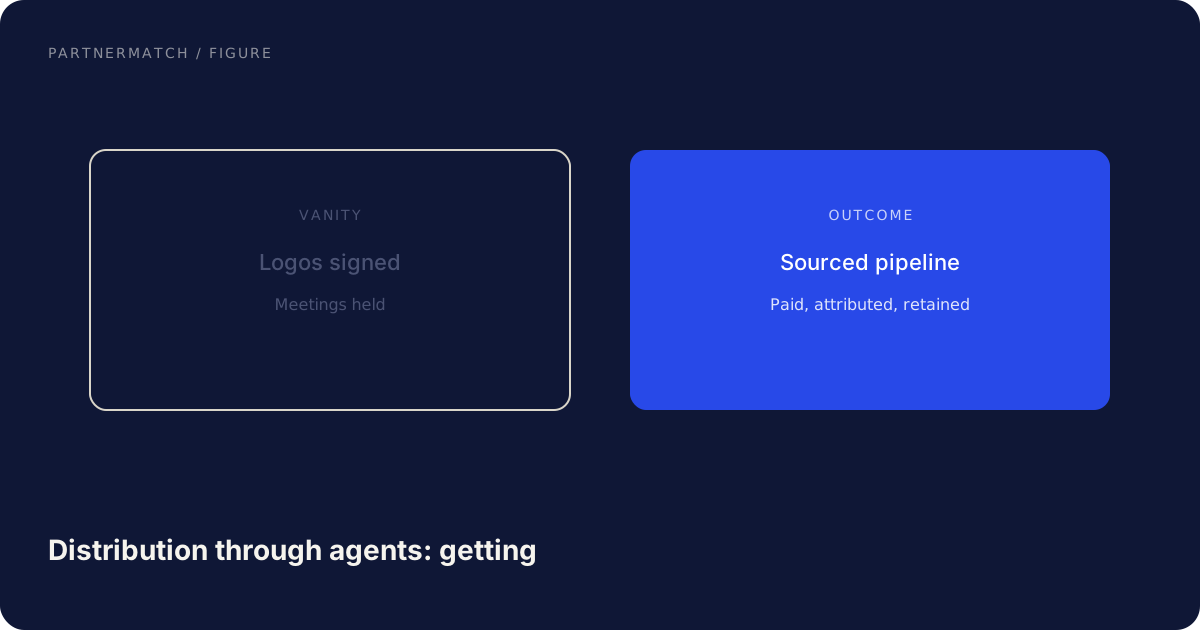
Goals you can defend: unique connected users by client; time from docs to first successful tool call; share of sessions that complete the first job; error rate by tool. Do not put "registry rank" on an OKR unless the client or registry gives you that number.
Docs, launch, and enablement
You already pay for a docs site. Use it. One page per supported client, with exact install steps. A job page that shows the prompt, the tools, and the approval. A changelog, because a tool rename breaks saved prompts. A security FAQ: scopes, data flow, how to revoke.
Customers who already bought you are the easiest MCP users to win. They will search your name plus "MCP" or the assistant they use. When a customer asks "can our assistant use this," the answer is a URL. That is partner enablement applied to a new surface.
Reuse the marketplace launch checklist. Before: first job scoped, tools tested in the clients you list for, auth ready, listing copy reviewed by someone who does not work on the protocol. During: listings go live with docs and a changelog; time a clean-profile install to first successful job. After: watch connect and complete; add the second job when the first is reused. Co-marketing is only real if a joint artifact points at a working server.
Common mistakes, and the fix
Optimizing for an unpublished ranking. The fix: optimize install, job clarity, and reuse. Read client docs when they publish factors. Until then, quality is the lever.
Listing before the first job works in the target client. The fix: test the conversation end to end, including auth and approval, then list.
One generic listing for every catalog. The fix: same job, but install steps and screenshots per client.
Two hundred tools so you will "get picked more." The fix: five to ten tools for one job. Models pick better from a short, distinct list.
Ignoring your own docs. The fix: a page for the customer who already pays you and is about to paste a config.
Counting listings as distribution. The fix: count connections and completed jobs. A row in a registry is metadata, not a channel.
FAQ
How do AI agents find our product? Usually they do not, until a user or admin installs your MCP server in the client they use. After that, the model finds your tools by reading names and descriptions. Distribution is install first, routing second.
Where should we list an MCP server? In the catalogs of the clients your customers already use, in the public MCP registry if you publish a public server, on GitHub, and on a docs page you control. Start with clients you can name.
Is there an official ranking for MCP servers? There is no single public ranking you should treat as a spec. Clients and registries may sort or suggest. Do not build a strategy on an unpublished algorithm.
What actually improves our chances of being chosen? A working install, a sentence that names the job, a small set of well-described tools, reliable runtime, and docs that match the listing.
Should we build for "agent SEO" in training data? No. If the server is not installed, the model cannot call it. Spend the time on listing, install, and tool quality.
How do we know distribution is working? Connected users who complete the first job more than once, by client. Listing presence is a leading indicator at best.
The short version
Agents see your tools only after a user connects your server. Get listed where those users already add connectors: client catalogs, the public registry, GitHub, and your docs. Ship a listing that names the job and an install that works. Do not invent a ranking. Control the signals that survive any sort: install quality, clear names, a tight tool surface, uptime, and honest docs. Measure connections and completed jobs.
Distribution through agents is a marketplace problem with a second layer, model routing, that your tool definitions have to win after the install. Do the first job well in the clients you can name. Then list it.
If you want a practical listing plan for the assistants your customers actually use, that is exactly what a Partner Audit is for. We review the product, the first MCP job, and the catalogs that matter, then give you a ship and list sequence.
Further reading
- Model Context Protocol: official documentation, concepts, and current spec index.
- MCP GitHub organization: protocol, SDKs, reference servers, and registry-related projects.
- MCP specification (2025-03-26): how clients discover tools, resources, and prompts from a connected server.