Designing MCP tool definitions agents can actually use
An independent guide to designing MCP tool definitions an agent can actually use. Naming, descriptions, typed schemas, scoping the surface, and mapping each tool to a real endpoint.
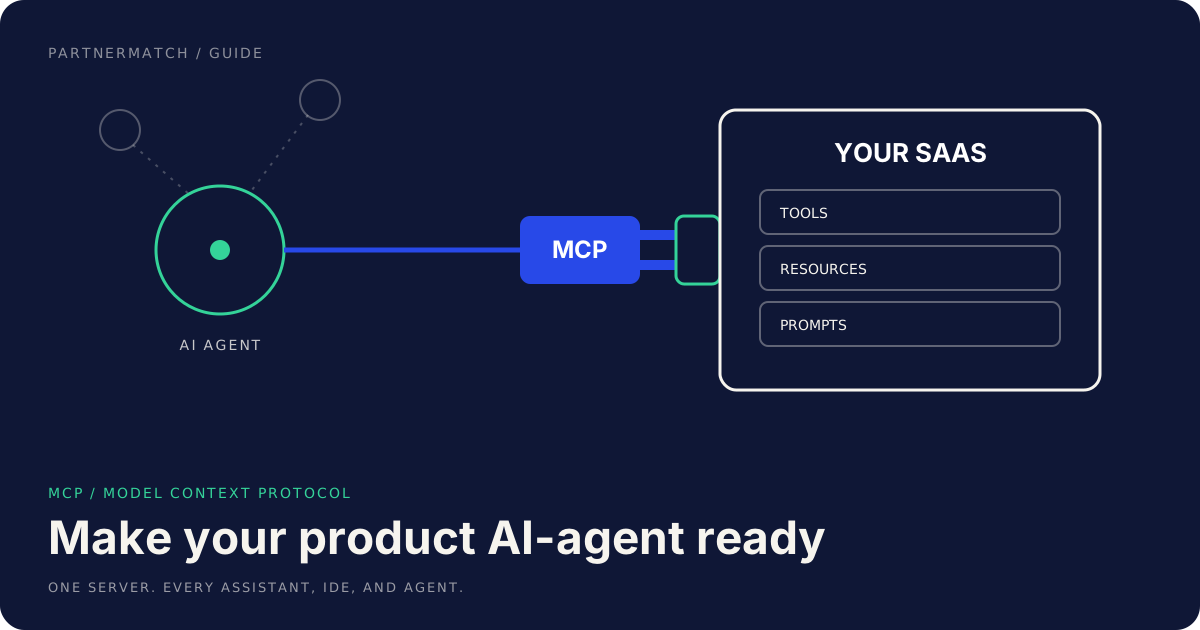
An agent reads your tool definitions the way a new engineer reads an unfamiliar API for the first time, except it has no Slack channel to ask in and no teammate to copy a working call from. It has the tool name, the description, and the input schema, and from those three things alone it has to decide whether your tool is the right one for the job and how to call it correctly on the first try. When those three things are clear, the agent picks the right tool and fills the arguments correctly. When they are vague, the agent guesses, and a guessing agent calls the wrong tool, invents parameters, or gives up and tells the user it cannot help. The difference is almost entirely in how you wrote the definition.
This is an independent guide to designing tool definitions for a Model Context Protocol server that an agent can actually use. It is written from the side of the team building the server, the producer, because that is where the choices that make an agent reliable or unreliable get made. The Model Context Protocol is an open standard, and the details evolve, so treat the specifics here as the shape of the work rather than a fixed spec; confirm the current details in the Model Context Protocol specification. What does not change is the craft: name tools so an agent can tell them apart, describe them so it knows when to reach for each, type the inputs so it cannot send garbage, scope the surface so the choice stays small, and map each tool to a real action so the call does what it says. That craft is what this guide covers.
It pairs with our explainer on what MCP is, our guide to MCP for SaaS, and our walkthrough of how to build your first MCP server, so you can place the tool-definition work inside the wider job of exposing your product to agents.
The 60-second version
- The definition is the entire interface. An agent sees the tool name, the description, and the input schema, and nothing else. Those three things have to carry the whole meaning.
- Name tools for the job, not the endpoint. A name like
create_invoicetells an agent what it does; a name likepost_v2_billingtells it nothing it can reason about. - Write the description for a reader who has never seen your product. Say what the tool does, when to use it, and when not to, in plain language, because that is how the agent decides which tool to pick.
- Type every input with a real schema. A typed schema with required fields, enums, and formats stops the agent from sending arguments your endpoint will reject.
- Scope the surface to the jobs that matter. Twenty overlapping tools confuse an agent more than five sharp ones. Expose the actions worth exposing and leave the rest out.
- Map each tool to one clear action. A tool that does exactly one thing is one an agent can choose with confidence; a tool that does five things hidden behind a mode flag is one it gets wrong.
- Return results an agent can read. The output is part of the interface too, so return structured, predictable results the agent can act on, not a wall of raw text.
Why the definition is the whole interface
With a human-facing API, the definition is a starting point. A developer reads your docs, tries a call, reads the error, checks Stack Overflow, and converges on correct usage over an afternoon. None of that is available to an agent at the moment it has to choose. It has your tool definitions loaded into its context, a user request in front of it, and one shot to map the request to a tool and a set of arguments. The definition is not documentation that supports the real interface. The definition is the interface.
That reframing changes how much care the definition deserves. If the agent picks the wrong tool, the user gets a wrong answer or a failed action, and there is rarely a human in the loop to catch it before it lands. If the agent picks the right tool but fills an argument wrong because the schema let it, your endpoint either rejects the call or, worse, accepts it and does something the user did not intend. The cost of an unclear definition is not a slower developer. It is an agent that confidently does the wrong thing, which is the failure mode that erodes trust in the whole integration.
The official guidance on tools reflects this. The Model Context Protocol documentation on tools describes a tool as a named capability with a description and a typed input schema that a model can invoke, which is exactly the three-part interface an agent reasons over. Everything in this guide is about making each of those three parts unambiguous, because an agent cannot ask a clarifying question of your schema. It can only read what you wrote and act.
Step 1: name tools for the job
The name is the first thing an agent reads and often the thing it leans on most when choosing between tools, so it has to describe the job in terms the agent can reason about. The common mistake is to name tools after the underlying implementation, the route, the table, the internal service, because that is what the name maps to in your code. The agent does not have your code. It has a user who wants to do something, and a name that matches that something is the one it will pick.
Good tool names share a few properties. They name an action and an object, so the agent can read intent straight off the name. They use the verb a user would use, not your internal jargon. And they are distinct enough that two tools are never confusable at a glance.
| Instead of | Name it | Because |
|---|---|---|
post_v2_billing |
create_invoice |
Names the action and object a user recognizes |
exec_query |
search_customers |
Says what it searches, not how |
do_sync |
sync_contacts |
Names the object being synced |
handle_record |
update_order_status |
One clear job instead of a vague catch-all |
A consistent naming scheme across your tools helps too. If you use verb_object for one tool, use it for all of them, so the agent learns the pattern and can predict that the tool to cancel an order is probably cancel_order. Consistency lowers the chance the agent has to guess. This is the same clarity discipline we apply to public APIs in our partner-ready API guidance: a name that describes the job is a name the caller, human or agent, can use without reading the rest of the docs.
Step 2: write descriptions for a reader who has never seen your product
The description is where most tool definitions either earn the agent's correct choice or lose it. A weak description repeats the name in a full sentence and adds nothing: "Creates an invoice." A strong description tells the agent the three things it actually needs to decide whether this is the right tool: what the tool does, when to use it, and when not to. Write it for a competent reader who has never seen your product, because that is exactly the position the agent is in.
What a strong description includes:
- What the tool does, concretely. Not "manages billing" but "creates a draft invoice for a customer with one or more line items and returns the invoice ID." The agent needs to know the actual effect.
- When to use it. Name the situation this tool is for, so the agent can match it to a user request. "Use this when the user wants to bill a customer for specific items."
- When not to use it, if there is a near neighbor. If you also have
send_invoice, say that this one only creates a draft and does not send it, so the agent does not pick the wrong half of a two-step job. - Any important preconditions. If the customer must exist first, say so, so the agent knows to call
create_customerbefore this if needed. - What it returns, in one line. The agent plans its next step around the output, so tell it the result is an invoice ID it can pass to
send_invoice.
The test for a description is simple: hand it, and the names of your other tools, to someone who has never used your product, describe a user request, and see whether they pick the right tool and know what to do with the result. If they hesitate or pick wrong, the agent will too. Vague descriptions are the single most common reason an agent calls the wrong tool, and they are also the cheapest thing to fix, because fixing them is just writing more clearly.
One caution worth stating plainly: the description is also a surface an attacker can target through the data your tool returns, so treat tool definitions and their outputs as part of your security boundary. The OWASP API Security Project is a useful independent reference for thinking about the risks an exposed action carries, and we go deeper on the agent-specific side in securing an MCP server.
Step 3: type every input with a real schema
A tool description tells the agent which tool to pick. The input schema tells it how to call that tool correctly, and a precise schema is what stands between the agent and a malformed call. The mistake is to type inputs loosely, a bag of optional strings, because that is easy to implement and accepts anything. An agent reads a loose schema as permission to send anything, and it will, including arguments your endpoint cannot use.
MCP tool inputs are described with JSON Schema, the same vocabulary used across the API world, so the constraints you can express are well understood and well documented. The practices that make a schema do its job:
- Mark required fields as required. An agent reading an all-optional schema does not know which arguments it must supply, so it may omit the one your action cannot run without. Required means required.
- Use enums for fixed choices. If a status can only be
draft,sent, orpaid, make it an enum. The agent will choose from the list instead of inventing a fourth value your endpoint rejects. - Constrain formats and ranges. Say a field is a date in a stated format, an email, or an integer within a range. The agent honors the constraint, and you catch bad input before it reaches your action.
- Describe each field. A one-line description on a parameter, not just the tool, tells the agent what the field means, so it maps the user's intent to the right argument.
- Avoid free-form blobs where structure exists. A single
datastring that secretly expects JSON forces the agent to guess your internal shape. Model the real fields instead.
A quick contrast of a loose versus a tight parameter:
| Loose | Tight | Effect on the agent |
|---|---|---|
status: string |
status: enum [draft, sent, paid] |
Picks a valid value instead of guessing |
amount: string |
amount: integer, minimum 0 |
Sends a number, not "fifty dollars" |
when: string |
due_date: string, format date |
Uses the expected date format |
data: string |
explicit typed fields | No need to invent your JSON shape |
If you want to understand what JSON Schema can express, the JSON Schema reference is the authoritative source, and its section on object constraints covers required fields and property typing directly. A schema that says exactly what a valid call looks like turns the agent's job from "guess a shape my endpoint might accept" into "fill in fields the schema already constrained," which is the difference between a call that works and one that bounces.
Step 4: scope the surface to the jobs that matter
More tools is not more capability. Past a small number, more tools is more confusion, because every tool you add is another option the agent has to consider and another chance for it to pick the wrong one. The mistake is to expose everything your API can do on the theory that completeness is generosity. For an agent, a smaller, sharper set of tools that cover the jobs that matter is far more usable than an exhaustive set that buries the important actions among the rare ones.
A few principles keep the surface scoped:
- Start from the jobs, not the endpoints. List the things a user would actually ask an agent to do with your product, and expose tools for those. An endpoint that no user request maps to does not need to be a tool.
- Collapse near-duplicates. If three endpoints differ only by a parameter, consider one tool with that parameter rather than three tools the agent has to choose between.
- Leave rare or dangerous actions out, at first. You do not have to expose everything on day one. Start with the high-value, low-risk jobs, and add more once you see how agents use the surface.
- Group related tools clearly. Consistent naming and descriptions that reference each other help the agent see which tools work together, so a multi-step job reads as a sequence rather than a pile of options.
This is the same focus we recommend when choosing what to expose at all, covered in MCP for SaaS: the first surface should be the smallest set of tools that lets an agent do something genuinely useful, not a mechanical mirror of your entire API. A tight surface also makes every other part of this guide easier, because there are fewer names to keep distinct, fewer descriptions to disambiguate, and fewer schemas to get right. Scope is not a limitation you apologize for. It is what makes the tools you do expose reliable.
Step 5: map each tool to one clear action
The last step is where the definition meets reality: each tool has to map to a real action that does exactly what the description promises. The failure here is the multi-purpose tool, one that does several different things depending on a mode flag or the shape of its input, because it lets you cover many cases with one definition. An agent cannot reason cleanly about a tool whose behavior changes based on a hidden switch. It picks the tool, sets the flag wrong, and gets a result it did not expect.
The fix is one tool, one job. A tool named update_order_status should update an order's status and nothing else. If you need to also cancel orders, that is cancel_order, a separate tool with its own description and schema, even though both touch the same record underneath. The agent reasons about jobs, and one tool per job is what lets it plan a sequence: search for the order, check its status, update it, and the names make each step obvious.
Mapping each tool to a clear action also means being honest in the description about side effects. If a tool sends an email, charges a card, or deletes data, the description has to say so, because the agent, and any human approval step in front of it, needs to know the blast radius before the call. A read-only tool and a tool that moves money should never look the same in your definitions. This is where tool design and security meet: the clearer the mapping from tool to real action, the easier it is to put the right guardrails on the actions that need them, which we cover in securing an MCP server. A tool an agent can trust is one whose definition tells the truth about what calling it does.
Common mistakes, and the fix
Naming tools after endpoints or internal services. The fix: name the action and the object in the user's language, like create_invoice, not post_v2_billing. The agent chooses tools by reasoning about the job, and a name that describes the job is the one it can pick.
Descriptions that just restate the name. The fix: say what the tool does, when to use it, when not to, and what it returns, written for someone who has never seen your product. A vague description is the most common reason an agent picks the wrong tool.
Loose, all-optional input schemas. The fix: mark required fields, use enums for fixed choices, constrain formats, and describe each parameter. An agent reads a loose schema as permission to send anything, and it will.
Exposing every endpoint as a tool. The fix: scope the surface to the jobs users actually ask for, collapse near-duplicates, and leave rare or dangerous actions out at first. More tools past a small number is more confusion, not more capability.
Multi-purpose tools with a mode flag. The fix: one tool, one job, even if several tools touch the same record underneath. An agent cannot reason cleanly about a tool whose behavior changes based on a hidden switch.
Hiding side effects from the description. The fix: state plainly when a tool sends, charges, or deletes, so the agent and any approval step know the blast radius. A read-only tool and a destructive one should never look the same.
FAQ
What exactly does an agent see when it considers a tool? The tool's name, its description, and its input schema, and in practice nothing else at the moment of choosing. It does not have your source code, your full API docs, or a way to ask a clarifying question. It maps the user's request to one of your tools using those three things, then fills the arguments from the schema. That is why all three have to be unambiguous on their own: they are the entire interface the agent reasons over.
How long should a tool description be? Long enough to say what the tool does, when to use it, when not to use it if there is a near neighbor, and what it returns, and no longer. A single restated sentence is too short to disambiguate; a page of prose buries the signal. Aim for a few clear sentences that would let a competent stranger pick the right tool for a described request on the first try. If a stranger would hesitate, the agent will too.
Why does typing inputs matter so much for an agent? Because the agent generates the arguments, and a loose schema lets it generate arguments your action cannot use. Required fields, enums, format constraints, and per-field descriptions all narrow what the agent can send to what your endpoint accepts. A tight schema turns the call from a guess into a fill-in-the-blanks, which is the difference between a call that succeeds and one your endpoint rejects, or worse, silently mishandles.
How many tools should an MCP server expose? Fewer than you think, especially at first. Start from the jobs users would actually ask an agent to do with your product, expose a tool for each, and leave the rest out until you see real usage. A small set of sharp, distinct tools is easier for an agent to choose among than a large set that mirrors your whole API, where the important actions are buried among the rare ones. You can always add more.
Should one tool handle several related actions to keep the count down? No. Keeping the count down by overloading a single tool with a mode flag trades a smaller list for a more confusing one. An agent reasons about jobs, and a tool whose behavior changes based on a hidden switch is one it sets wrong. One tool, one job is the rule, even when several tools touch the same record underneath, because clear mapping is what lets the agent plan a multi-step task.
How do tool definitions relate to security? Closely. Each tool is a real action an agent can invoke, so the clearer the mapping from tool to effect, the easier it is to put the right controls on the actions that need them, like approvals on writes and limits on what data flows back. Honest descriptions of side effects are part of that, because an approval step can only protect what it can see. We cover the agent-specific controls in securing an MCP server.
Further reading
- Model Context Protocol specification for the authoritative, current definition of how tools and servers are described.
- Model Context Protocol documentation on tools for how a tool's name, description, and input schema fit together.
- JSON Schema reference for the vocabulary you use to type tool inputs.
- JSON Schema object reference for required fields and property typing specifically.
- OWASP API Security Project for the security perspective on exposing actions, since every tool is an action with a blast radius.
The short version
An agent sees only your tool's name, description, and input schema, so those three things are the entire interface and deserve real care. Name each tool for the job it does in the user's language, like create_invoice, not the endpoint it sits on, because the agent chooses by reasoning about the job. Write the description for a competent stranger: what the tool does, when to use it, when not to, and what it returns, since a vague description is the top reason an agent picks the wrong tool. Type every input with a real schema, required fields, enums, formats, per-field descriptions, because the agent generates the arguments and a loose schema invites bad ones. Scope the surface to the jobs that matter rather than mirroring your whole API, since more tools past a small number is more confusion, not more capability. Map each tool to exactly one clear action, side effects stated honestly, so the agent can plan a sequence and any approval step can see the blast radius. Get those right and the agent picks the right tool and calls it correctly the first time, which is the whole game.
If you want help designing an MCP surface agents can use reliably, a Partner Audit reviews your API, your tool definitions, and your agent-facing surface, then hands you a concrete plan for what to expose and how to define it.