Writing integration user stories engineers can build
How to write integration user stories for B2B SaaS: customer-framed stories for both sides of a partner build, an acceptance-ready format, and worked examples.
An engineer picks up a ticket that says "build the Salesforce integration" and stares at it. Build what, exactly? Sync which objects, in which direction, triggered by what, and how does anyone know when it is finished? So they guess, build a plausible version, demo it, and hear the partnership lead say "no, that is not what the customer needs." Two weeks are gone, and the real problem was never the code. It was that nobody translated a vague partnership goal into something an engineer could actually build and an owner could actually accept.
Integration user stories are that translation. A user story describes a feature from the point of view of the person who will use it: who they are, what they want to do, and why it matters to them. For an integration, that framing does something specific and valuable: it forces the conversation back to the customer's workflow, away from the internal temptation to describe the integration as a list of endpoints to wire together. A good integration user story tells an engineer what to build by telling them who it is for and what success looks like to that person.
This guide is about writing those stories well for a partner build. We cover what a user story is and why the customer framing matters more for integrations than for internal features, the fact that an integration has two sides and each needs its own stories, the format that makes a story acceptance-ready, worked examples you can adapt, and the mistakes that produce stories engineers cannot build. At the end you get a story format and a set of examples you can lift into your own backlog.
The 60-second version
If you only read one section, read this one:
- A user story is a feature described from the user's point of view: who they are, what they want, and why. For integrations, the "user" is a customer of one or both products, not your engineer.
- Customer framing beats endpoint framing. "As a sales rep, I want new contacts to appear in my CRM automatically" tells an engineer what to build; "call the contacts endpoint" tells them what to type without saying why.
- An integration has two sides, and each needs its own stories. The customer using product A and the customer using product B often want different things from the same integration. Write for both.
- A story is not acceptance-ready until it names the outcome. The role and the action are not enough; the story has to say what has to be true for the customer to consider it done.
- Good stories are small and independent. One story, one workflow. A story that spans three workflows is an epic, and an engineer cannot estimate or finish it cleanly.
- The story sets up the acceptance criteria, not replaces them. The story says who and why; the criteria say exactly what "done" means, which is a separate, tighter document.
What a user story is, and why customer framing matters for integrations
A user story is a short description of a feature written from the perspective of the person who will use it. The conventional shape is one sentence: as a [role], I want [an action], so that [an outcome]. The user story format comes from agile software development, where its whole purpose is to keep the team focused on a user's need rather than on a technical task list. It is deliberately non-technical, because it describes the what and the why and leaves the how to the engineers who will build it.
For an integration, this framing is not just good practice, it is a corrective. The natural way to describe an integration internally is as plumbing: "connect our webhook to their contacts API and map these fields." That description is not wrong, but it is dangerous, because it lets the team build something technically complete that solves no actual customer workflow. An integration that syncs contacts flawlessly but syncs the wrong direction, or at the wrong time, or without the field the customer actually needs, passes every technical check and fails the only test that matters. The customer framing forces the question the plumbing framing skips: who is this for, and what are they trying to accomplish?
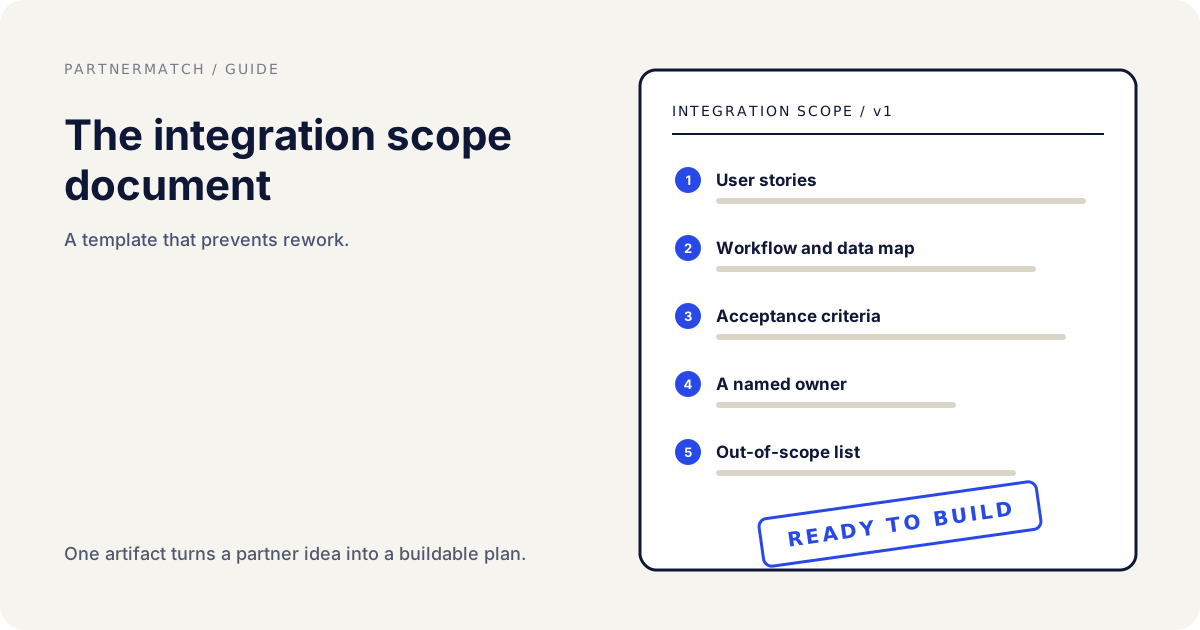
That question is why user stories matter more for integrations than for many internal features. An internal feature usually has one obvious user, your own customer, and the team already understands that user well. An integration has customers on both sides who may use it for different reasons, and it lives at the seam between two products where it is easy to lose sight of the human entirely and think only about the data flowing between systems. The story drags the human back into view. The upstream work of defining what the integration should even do lives in the integration scope document; the user stories are how that scope turns into buildable, testable pieces.
The two sides of an integration, and why each needs its own stories
Here is the thing that trips up teams new to integration work: an integration is not one feature with one user. It connects two products, and each product has its own customers who experience the integration differently and often want different things from it. If you write stories from only one side, you build an integration that serves one set of users well and leaves the other side wondering why it does not do what they need.
Consider an integration between a support tool and a CRM. The support tool's customer, a support agent, wants customer context from the CRM to appear inside their support ticket, so they can help without switching tabs. The CRM's customer, a sales rep, wants support interactions to appear on the customer record, so they know about open issues before a renewal call. Same integration, two entirely different jobs, two different users, two different definitions of done. A team that writes only the support-agent stories ships something the sales rep finds useless, and vice versa.
| The customer of... | Wants... | So that... |
|---|---|---|
| Product A (support tool) | CRM context inside the ticket | They can help without switching tools |
| Product B (CRM) | Support history on the customer record | They know about issues before a renewal |
| Both | The two systems stay in sync automatically | Neither has to re-enter data by hand |
The discipline is to enumerate the user roles on both sides before writing a single story, then write stories for each role that has a real job. Not every integration is symmetric, sometimes one side is clearly the primary user and the other just needs data to flow in, but you only know that after you have looked at both sides deliberately. This is the same both-sides thinking that a joint value proposition demands; the integration exists to serve a shared workflow, and our guide to the joint value proposition covers how to frame that shared workflow before you decompose it into stories.
The format that makes a story acceptance-ready
A user story that stops at "as a role, I want an action" is a start, but it is not yet something an engineer can build with confidence, because it does not say what success looks like. An acceptance-ready story pairs the story sentence with enough context that the person accepting the work knows exactly what "done" means. The story names the who and the why; the acceptance-ready version adds the conditions that make it verifiable.
The classic quality checklist for a story is the INVEST mnemonic: a good story is Independent, Negotiable, Valuable, Estimable, Small, and Testable. Two of those matter most for integrations. Small keeps a story to one workflow, so an engineer can build and finish it cleanly instead of drowning in a story that secretly contains five features. Testable means the story has a clear pass or fail, which is the bridge to acceptance criteria, because a story you cannot test is a story you cannot accept.
| Story part | What it captures | Example |
|---|---|---|
| Role | Who the user is | A support agent |
| Action | What they want to do | See CRM account details in the ticket |
| Outcome | Why it matters | So they can resolve issues without switching tools |
| Acceptance hook | How you know it works | Account name, plan, and owner show on every ticket |
The acceptance hook in that last row is the seam between the story and the acceptance criteria. The story stays readable and human; the criteria get precise and testable. Keeping them as separate documents matters: the story is what you discuss with the partner and the customer, the criteria are what the engineer and QA verify against. Confusing the two produces either a story so detailed nobody wants to read it or criteria so vague nobody can test them. The full discipline of writing verifiable conditions is its own subject, covered in integration acceptance criteria; the story is what those criteria attach to. One useful bridge from story to test is a task scenario, which frames a realistic thing a user is trying to accomplish, and Nielsen Norman Group's guide to writing task scenarios is a good model for keeping that scenario about the user's goal rather than the interface.
Worked examples you can adapt
Abstract rules about stories are easy to agree with and hard to apply, so here are integration user stories written the way they should look in a real backlog. Notice that each names a specific role, a single action, and a concrete outcome, and that they come in pairs or sets covering both sides of the integration. Treat them as templates for shape, not content; your roles and workflows will differ.
A CRM sync integration. From the sales side: "As a sales rep, I want new leads captured in the marketing tool to appear in my CRM within a minute, so that I can follow up while the lead is still warm." From the marketing side: "As a marketing manager, I want CRM deal stages to flow back to the marketing tool, so that I can stop emailing leads that sales has already closed." Two roles, two directions, two clear outcomes, and each is a single testable workflow.
A support-and-CRM integration. From the agent side: "As a support agent, I want the customer's plan and account owner to show at the top of every ticket, so that I can prioritize and route without leaving the support tool." From the sales side: "As an account manager, I want to see a customer's open support tickets on their record, so that I walk into a renewal call already knowing about their problems." Same integration, opposite users, and neither story would be complete without the other.
A data-warehouse integration. "As a data analyst, I want our product's events exported to the warehouse every hour, so that I can join them with billing data in my own queries." This one is largely one-sided, the analyst is the primary user and the source product just needs to emit clean data, which is fine. Not every integration is symmetric, and forcing a second-side story where none exists just clutters the backlog.
A note on scope discipline inside these. Each example is deliberately one workflow. The moment a story reads "as a rep, I want leads to sync and deals to sync and activities to sync," it has become three stories wearing one sentence, and an engineer cannot estimate it, build it incrementally, or accept it in pieces. Split on the seams, one workflow per story, and the backlog stays buildable. That decomposition is part of good integration project management, which turns a pile of stories into a sequenced plan.
Common mistakes, and the fix
Framing the story as an endpoint instead of a workflow. The fix: rewrite it from the customer's point of view. "Call the contacts API" is a task; "as a rep, I want new contacts in my CRM automatically" is a story that says why the task exists. The endpoint is the how, and the how belongs to the engineer, not the story.
Writing stories for only one side of the integration. The fix: enumerate the user roles on both products first, then write a story for each role with a real job. An integration built from only one side's stories serves one set of users and quietly fails the other, and you discover it at launch instead of in planning.
Cramming multiple workflows into one story. The fix: split until each story is one role, one action, one outcome. A story that spans three workflows cannot be estimated, built incrementally, or accepted cleanly. Small is not a nicety; it is what makes the story buildable and testable at all.
Stopping at the story and skipping the acceptance hook. The fix: for every story, write down what has to be true for the customer to call it done, which becomes the seed of the acceptance criteria. A story with no testable outcome is a wish, and an engineer building against a wish is guessing.
Treating the story as the complete spec. The fix: keep the story human and readable and let the acceptance criteria carry the precise, testable conditions. Overloading the story with technical detail makes it unreadable for the partner conversation, while leaving out the criteria makes it unbuildable for the engineer. They are two documents on purpose.
FAQ
What is an integration user story? It is a short description of an integration feature written from the point of view of the customer who will use it: as a [role], I want [an action], so that [an outcome]. For an integration the user is a customer of one or both connected products, not your own engineer, and the story's job is to say who the integration is for and what success looks like to that person.
Why frame integration work as user stories instead of technical tasks? Because a technical task list lets the team build something that is technically complete but solves no real workflow. "Sync the contacts endpoint" can be fully done while syncing the wrong direction or the wrong data. The customer framing forces the question the task framing skips, who is this for and what are they trying to accomplish, which is the only test that ultimately matters.
Why does an integration need stories for both sides? Because an integration connects two products, each with its own customers who use it for different reasons. The support agent wants CRM context in their ticket; the sales rep wants support history on the customer record. Same integration, two different jobs. Writing stories for only one side ships something that serves those users and leaves the other side without what they need.
What makes a user story acceptance-ready? It names not just the role and action but the outcome that tells you it worked, and it is small and testable enough to have a clear pass or fail. The INVEST qualities help: independent, negotiable, valuable, estimable, small, and testable. Small keeps it to one workflow; testable is what lets the acceptance criteria attach and QA verify it.
How is a user story different from acceptance criteria? The story is the readable, human description of who wants what and why; the acceptance criteria are the precise, testable conditions that define done. The story is what you discuss with the partner and customer; the criteria are what the engineer and QA verify against. They are separate documents, and confusing them produces either an unreadable story or untestable criteria.
How small should an integration user story be? One role, one action, one outcome, which usually means one workflow. If a story reads "sync leads and deals and activities," it is three stories in one sentence and cannot be estimated or built incrementally. Split on the workflow seams until each story is something an engineer can build and accept on its own.
What if the integration only really serves one side? Then write the stories for that side and do not force a second-side story that has no real job behind it. Not every integration is symmetric; sometimes one product is the primary user and the other just needs to emit clean data. The discipline is to look at both sides deliberately, not to invent stories to make the backlog look balanced.
Further reading
- Wikipedia, user story, on the role-action-outcome format and its origin in agile development.
- Wikipedia, INVEST mnemonic, on the qualities that make a story independent, small, and testable.
- Wikipedia, acceptance testing, on verifying that a build meets the user's need, which is where a story leads.
- Nielsen Norman Group, task scenarios in usability testing, on framing a realistic user goal rather than an interface action.
The short version
Integration user stories translate a vague partnership goal into something an engineer can build and an owner can accept. A story describes the feature from the customer's point of view, as a role, I want an action, so that an outcome, which forces the team to think about the workflow instead of the plumbing. That framing matters more for integrations than for internal features, because an integration lives at the seam between two products and it is easy to think only about the data and forget the human.
Write stories for both sides of the integration, since each product's customers experience it differently and want different things. Keep each story small and testable, one role, one action, one outcome, and pair it with the outcome that tells you it worked, which becomes the seed of the acceptance criteria. Keep the story human and readable and let the criteria carry the precise, testable conditions, because they are two documents doing two jobs.
If you want the whole path handled, from partner strategy and a partner-ready API through scoped, well-storied integration work to launch and adoption, that is exactly what a Partner Audit is for. We review your product, API, and partner potential, then define what to build, who it is for, and how to ship and prove it together.